
In this guide
An IPTV free trial gives you time to see how a television streaming service behaves before paying for a subscription. Instead of judging a provider from a channel count or a polished sales page, you can check the picture, navigation and reliability on the screen you actually use. That is particularly useful if you are new to IPTV or moving from another service.
This guide explains what to check, how to prepare your Firestick or Smart TV, and which questions to ask before buying. British IPTV offers a free 24-hour trial through WhatsApp, with no payment details required. The aim is a useful test, not a promise that every channel or future live event will always work perfectly. Keep notes during the trial so your decision is based on what you observed.
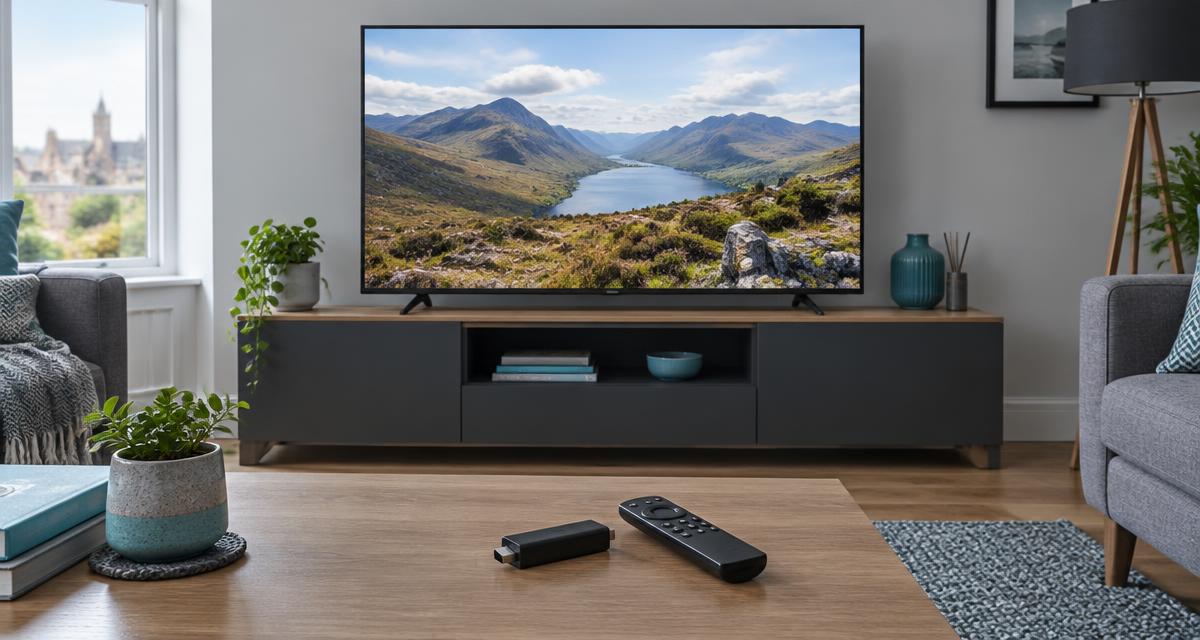
What Is an IPTV Free Trial?
IPTV means television delivered using an internet connection. A trial is temporary access that lets you explore a service through a compatible player or device. The player is the software used to open the service; installing a player does not itself provide channels or prove that a seller has rights to distribute them. Ask about the source and authorisation of content before subscribing.
Use a free IPTV trial as a small, practical assessment. Can you find your usual programmes? Does the remote feel straightforward? Does the picture remain stable when other people use your broadband? A service that looks fine on a phone may behave differently on a large television, so test the setup you intend to keep.
Free access should also be clear about its limits. Confirm when the trial starts, when it ends, what is included and whether any player app has a separate charge. Do not assume that a trial includes every feature of a paid plan. Keep trial credentials private, and never post a playlist or login in a public discussion.
How Long Does a Free Trial Last?
The trial listed on this site lasts 24 hours. Other sellers may advertise different durations, including 48 hours, but that is not an offer from us. Ask support to confirm the activation time and expiry before starting. A day of access is more useful when it covers the times you normally watch, rather than beginning just before you leave home.
Prepare your device first and request access when you can actually test it. Include an evening session and, where possible, a live programme you care about. A quiet weekday afternoon alone may not reveal how your connection or the service performs when demand increases. If a specific event falls outside the trial period, be honest about that gap in your assessment.
A 24 hour IPTV trial is a snapshot, not a long-term reliability report. A smooth day cannot establish future uptime, and one interruption does not identify the cause by itself. If setup takes longer than expected, ask support what can be done rather than assuming an extension is available. No extension or alternative duration is promised here.
What to Test During Your Trial
Start with the channels you genuinely watch. Search for each one, open it and check that the programme matches the label. Channel lists can change, and a large advertised number is not a substitute for your own shortlist. If something essential is missing, ask about it before paying rather than expecting it to appear later.
Next, watch a channel for long enough to notice freezing, sound problems or repeated loading. Switch between a few channels and return to the original one. Note the time, device and connection type if something goes wrong. These details are more useful to support than a general complaint that the service is slow.
Inspect the EPG, or electronic programme guide, where available. Check whether listings are present, programme times match UK time and navigation works comfortably with your remote. An empty guide does not necessarily mean the stream is broken, but it can make everyday viewing less convenient. Ask whether missing listings are expected or a temporary issue.
If you use video on demand, try finding a film or episode, starting playback and resuming after a pause. Check audio and subtitles where those options exist. Availability varies, so verify the titles important to you instead of assuming an entire advertised catalogue will be accessible throughout a subscription.
Compare picture quality on your actual screen. A channel labelled HD or 4K is not enough to establish its real resolution or bitrate. Look for a steady picture, readable on-screen text and natural movement. Try live sport if that matters to you, particularly during busy evening hours. Record any tests you could not complete rather than filling the gaps with assumptions.
- Your essential channels and programmes
- Sustained playback, channel switching and sound
- EPG times and programme listings
- VOD navigation, subtitles and resume behaviour
- Picture quality and live sport at your usual viewing times
Which Devices Work?
Our setup guides cover Firestick, Smart TV, Android devices, Apple devices, MAG boxes and computers. Compatibility still depends on the exact model, operating system and player. Tell support what you own before activation. If you plan to use more than one device, ask about the connection limit; support for several device types does not mean simultaneous viewing is included.
For an IPTV trial Firestick setup, check your model and available storage, then follow the Firestick section of our device guide. Ask support for the appropriate player and installation instructions. App availability and menus can differ between models. Avoid random download codes or unknown APK files, and do not turn off security protections just because an unrelated website tells you to.
On Android TV, an Android box or a phone, check the relevant app store first. Samsung and LG Smart TVs use different systems, so a phone app may not exist on your television. Some players request a device ID or MAC address; share this only with the support contact you intended to use. Ask whether the player needs a separate licence.
iPhone, iPad and other Apple devices need a compatible app, while a MAG box may use a portal address provided by support. On a PC or Mac, a suitable player may open a playlist or supported login. Follow the instructions for your chosen device rather than mixing setup methods. Keep your server address, username and password out of screenshots shared publicly.
Firestick setup guideHow to Start Your Free Trial With British IPTV
Requesting the trial is straightforward, but a little preparation makes the testing window more useful. Have your device name ready and decide what you want to watch. You do not need to enter a card number to request the trial. If a message unexpectedly asks for banking credentials or a one-time security code, stop and verify who you are speaking to.
Once support supplies the trial details, follow the device instructions and check the expiry time. If the login fails, copy the information carefully and explain the error to support without sharing it publicly. Keep the first session focused on basic playback, then return for an evening test. Save your questions so you can ask them before choosing any paid plan.
- Open the Start Free Trial button and send the pre-filled WhatsApp request. Tell support your device model and when you are ready to test.
- Confirm the recommended player, what access includes and when the 24-hour period begins. Install the player using the appropriate device guide.
- Enter the trial details supplied by support, test your viewing shortlist and ask about anything unclear before considering a subscription.
Free Trial Red Flags to Avoid
An offer of an IPTV free trial no credit card should not turn into an unexplained payment request. A separate app licence may be a genuine consideration, but its cost and purpose should be disclosed first. Never provide your banking password, card security information in a public chat, or a one-time authorisation code to someone claiming it is needed for activation.
Be cautious when a seller has no reachable support or refuses to explain prices, connection limits and terms. The absence of a clear refund policy is a reason to ask questions before paying; it does not establish that a refund will be available. Our trial guide does not promise particular cancellation or refund rights. Get the relevant terms directly from support in writing.
Treat claims such as guaranteed zero buffering, permanent access or every channel in perfect 4K sceptically. Your broadband, Wi-Fi, device and the stream itself all affect playback. The best IPTV free trial UK viewers can use is one that helps them assess their own needs, not one that makes the biggest promises. Also check content authorisation: a trial is not evidence that a service is licensed.
Free Trial vs Paid Subscription
A trial helps answer whether the service suits your current setup. A paid subscription is a longer commitment, so check more than the picture before proceeding. Confirm the total amount, plan length, connection limit and any separate player costs. Do not treat access to a particular trial channel as a permanent guarantee about future availability.
Our plans page lists subscription options; the price guide explains how to compare upfront payments and monthly equivalents. Read both alongside your trial notes. If testing was incomplete or support has not answered an important question, wait before paying. A longer plan may reduce the equivalent monthly cost, but it also increases the amount committed upfront.
| What to compare | Free trial | Paid subscription |
|---|---|---|
| Duration | 24 hours; confirm activation and expiry | See the current plan lengths |
| Payment | Free; no payment details required | Confirm the full price and payment method |
| Purpose | Assess your own device and connection | Longer-term viewing under the agreed terms |
| Access and devices | Confirm included content and connection limit | Confirm content, devices and simultaneous connections |
| Reliability | A short test, not a future guarantee | Performance still depends on several factors |
Frequently Asked Questions
Ready to Test Your Own Setup?
Choose a time when you can watch, prepare your device and request the free trial. Keep a short list of essential channels and test at your normal viewing times. If something fails, note the details and ask for help. Decide about a subscription only after you understand the price, limitations and terms. The most useful result is a clear decision, whether you subscribe or not.